International SEO fails on structure long before it fails on translation. If Google can’t reach each country version, or can’t tell which one belongs to which market, a UK shopper gets the US page in dollars.
Key takeaways
Pick one URL structure per market and give every country its own crawlable URL.
Hreflang only works with valid codes, reciprocal links and 200-status canonical URLs.
Check each market in its own Google results. The right local URL should rank there.
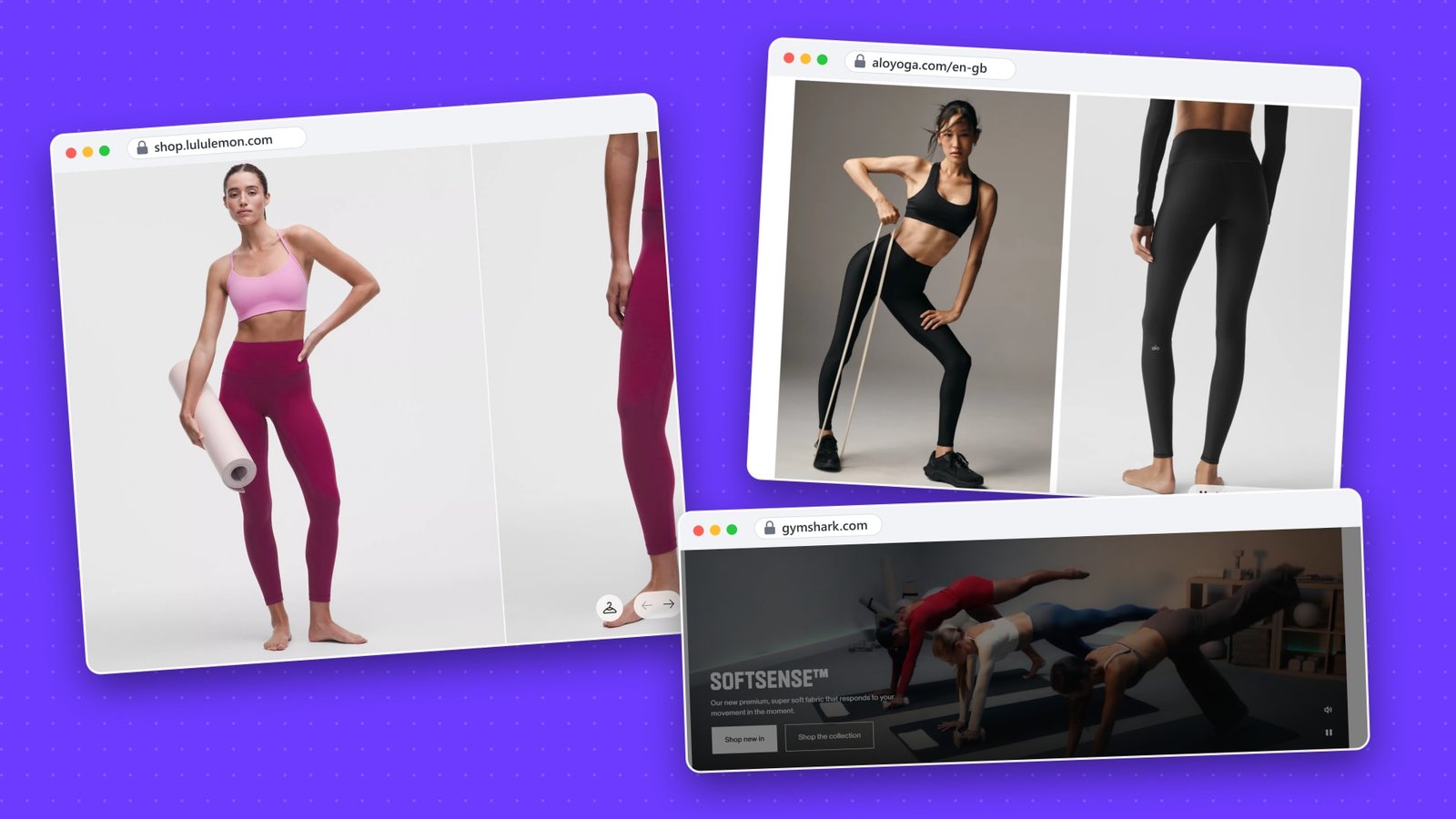
I use three activewear brands as running examples: Alo Yoga, Gymshark and Lululemon. Shoppers reorder leggings from all three, and all three sell in dozens of countries. Each one picked a different URL structure, and each one shows something to copy and something to fix.
Every section follows the same shape: what to do, the exact steps and a live example from one of the three. Work through them in order. A launch only works when each step holds.
Market Selection Signals Before a New Country Launch
Launch where the store already has demand and where the business can actually deliver. I don’t start with a translation budget.
Signal
Where I get it
What it tells me
Impressions by country with no local page
Search Console, Performance report, Countries tab
Google already sees relevance there
Orders by country
Google Analytics 4
Shoppers are buying despite the friction
Local search engine share
Statcounter by country
Whether Google is even the main engine
Shipping, duties, returns and payments
Operations and finance
Whether checkout can work at all
Export country data. In Search Console, open Performance, then the Countries tab, and sort by impressions.
Find the gaps. List countries with impressions or orders but no local URL.
Check the search engine. Confirm Google leads in that country before you plan a Google-first launch.
Check delivery. Confirm shipping, duties, returns and payment methods with operations.
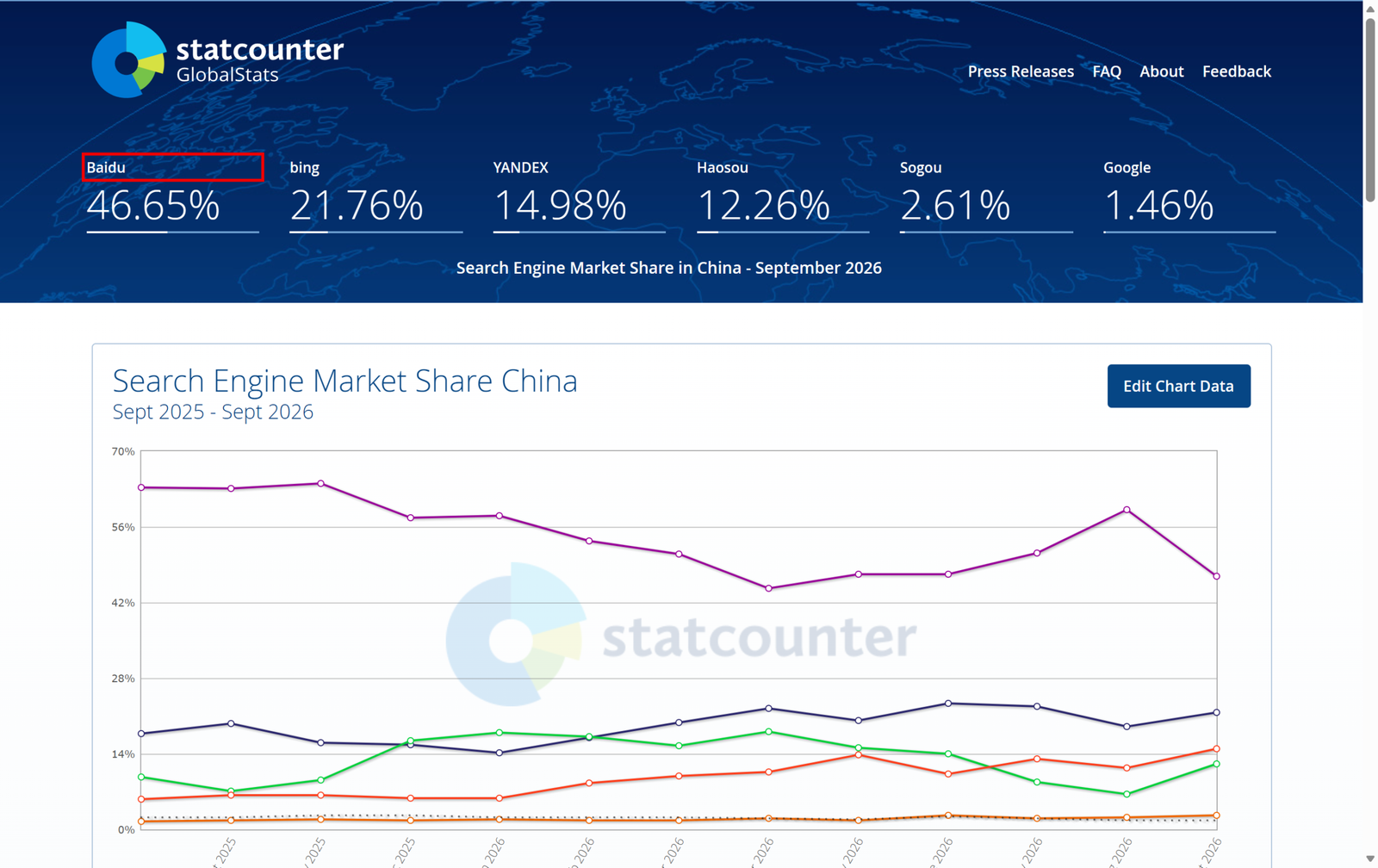
Google leads search in most markets, but not everywhere. In China, Baidu leads and Google sits in the low single digits, so the plan for that market starts somewhere else entirely.
Statcounter's search engine market share for China, September: Baidu leads at 46.65%, Google is at 1.46%. Source: gs.statcounter.com, captured October 25, 2026.
International URL Structures Compared: Subfolders, Subdomains and Country Domains
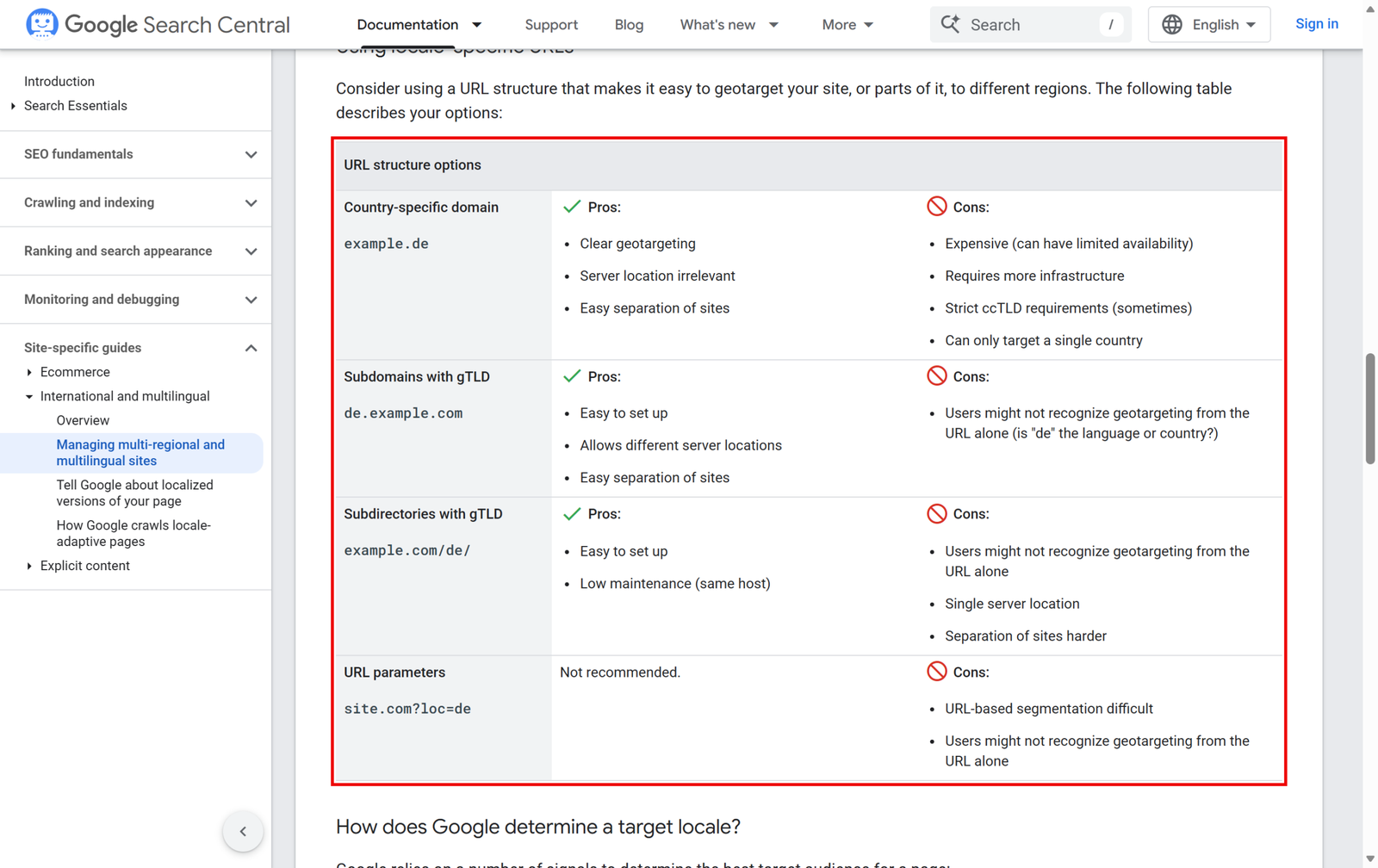
Give every country, or every country and language pair, its own URL. Then choose how those URLs are built. Google lists the trade-offs: country domains give the clearest signal but cost the most, subdomains are easy to set up, and subfolders are cheap to maintain on one host.
Google's multi-regional site documentation: the pros and cons of country domains, subdomains, subdirectories and URL parameters. Source: developers.google.com, captured October 25, 2026.
Structure
Live example
Choose it when
Subfolders
aloyoga.com/en-gb/, /de-de/, /fr-fr/
One platform and one team run every market
Subdomains
uk.gymshark.com, de.gymshark.com, eu.gymshark.com
Each market runs its own storefront on one brand domain
Country domains
lululemon.co.uk, lululemon.de, lululemon.com.au
Local entities, local teams and a long-term market commitment
Subfolders on a Shared Domain at Alo Yoga
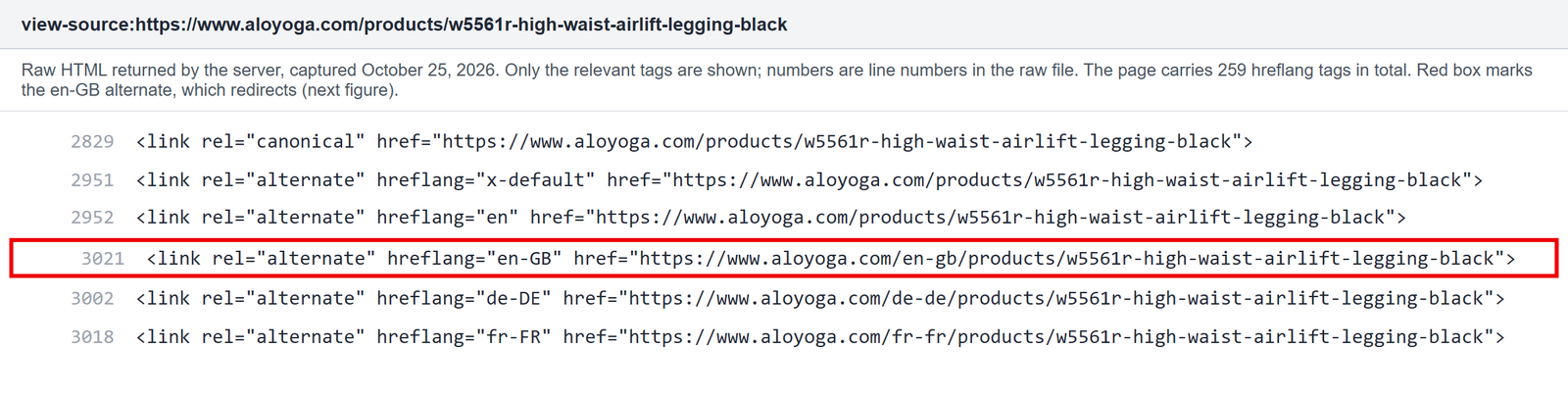
Alo Yoga runs every market in folders on aloyoga.com: /en-gb/ for the UK, /de-de/ for Germany, /fr-fr/ for France. The Airlift legging product page lists 259 hreflang alternates, one per country and language pair.
The Alo Airlift legging source: a self-referencing canonical, x-default and en pointing to the US page, and en-GB, de-DE and fr-FR folders. Source: aloyoga.com (page source), captured October 25, 2026.
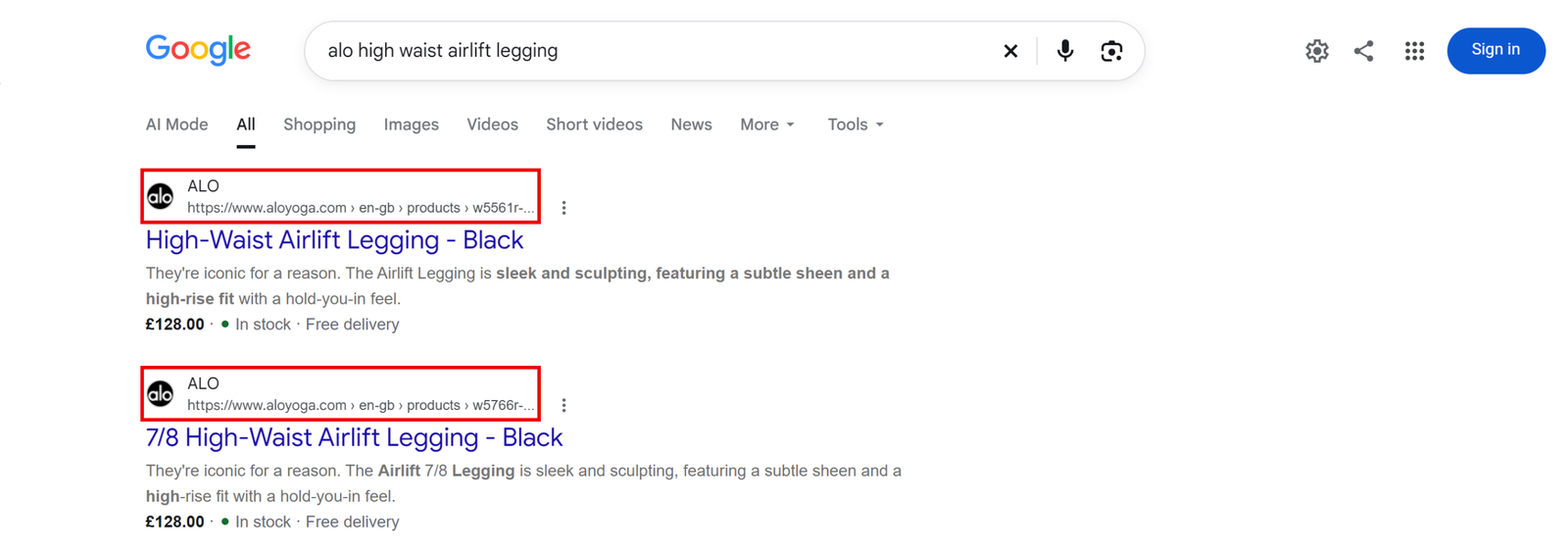
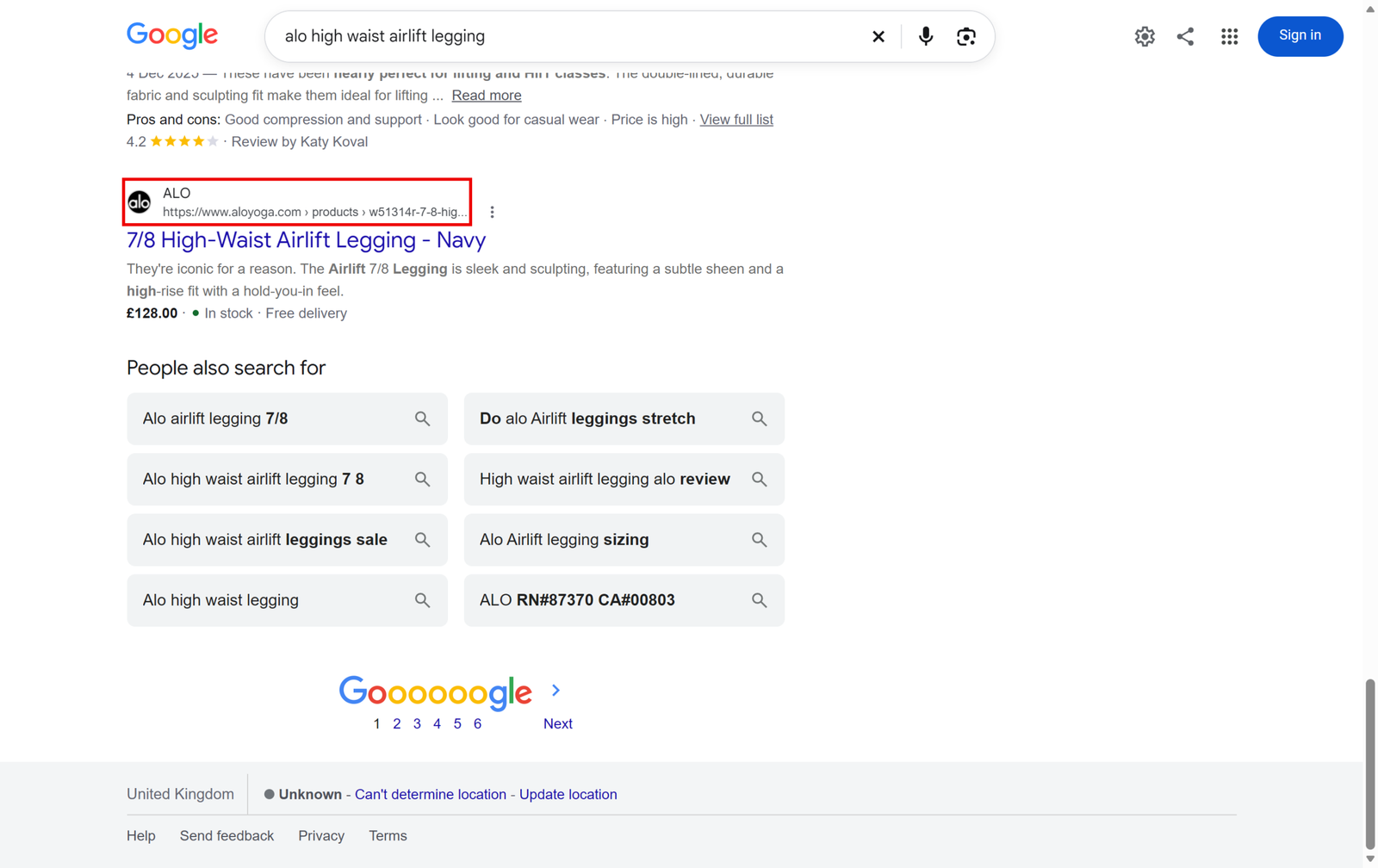
It works in search. Google UK shows the /en-gb/ product pages, priced at £128.00 with free delivery. One domain also means every market shares the same links and authority.
Gymshark gives each market a subdomain: uk.gymshark.com, de.gymshark.com, fr.gymshark.com, plus eu.gymshark.com for smaller European markets and row.gymshark.com as the fallback for the rest of the world.
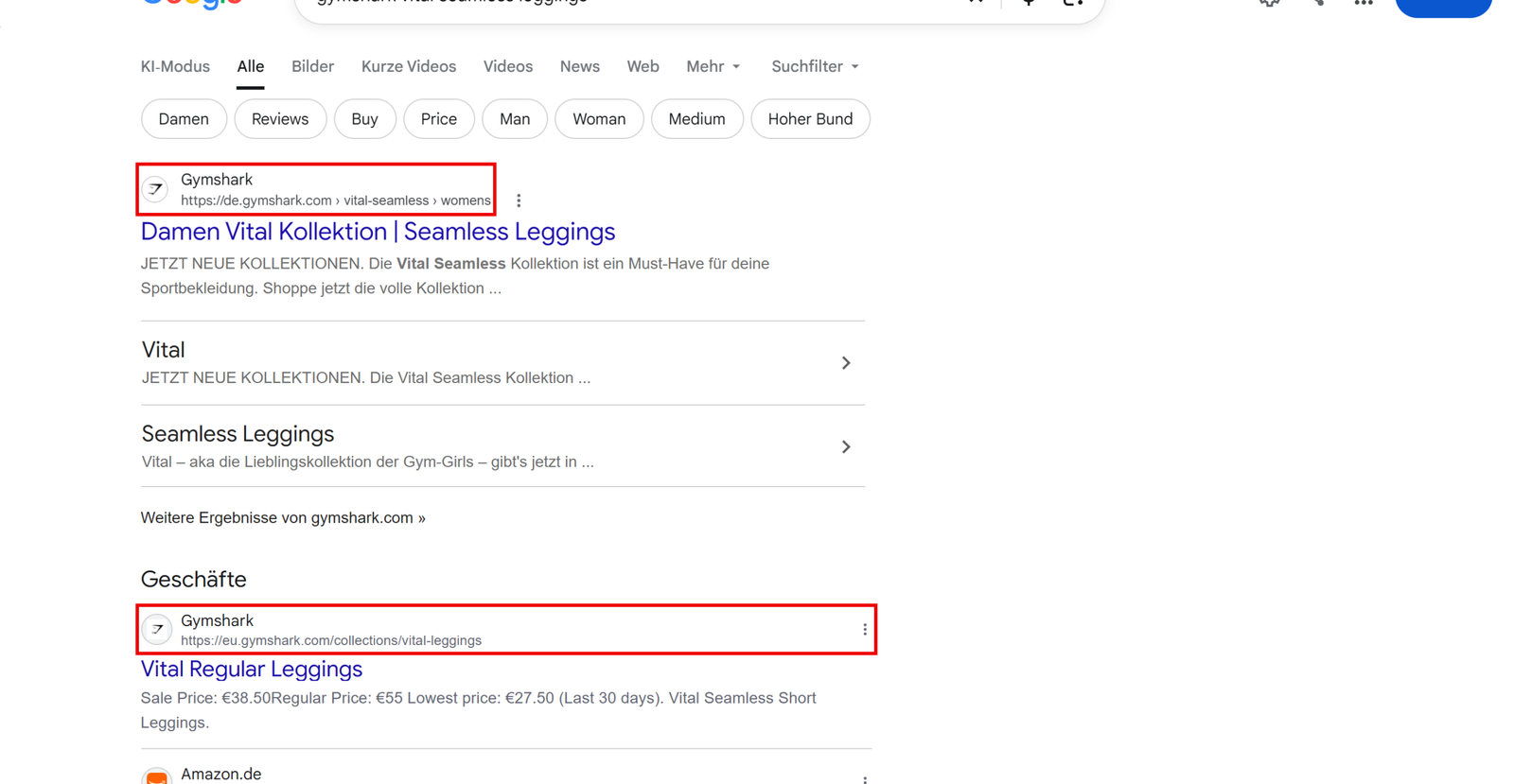
In Google Germany, the German storefront ranks first for "gymshark vital seamless leggings". But the English EU store shows up too, with an English snippet and euro prices, in the stores list for a German query.
Google Germany for "gymshark vital seamless leggings": de.gymshark.com ranks first, and the English eu.gymshark.com store also appears. Source: Google search for "gymshark vital seamless leggings" (DE), captured October 25, 2026.
Country-Code Domains at Lululemon
Lululemon mixes all three. The US store is shop.lululemon.com, with Canada in /en-ca/ and /fr-ca/ folders. The UK, Germany, France, Australia and Japan get their own country domains. Smaller European markets share eu.lululemon.com.
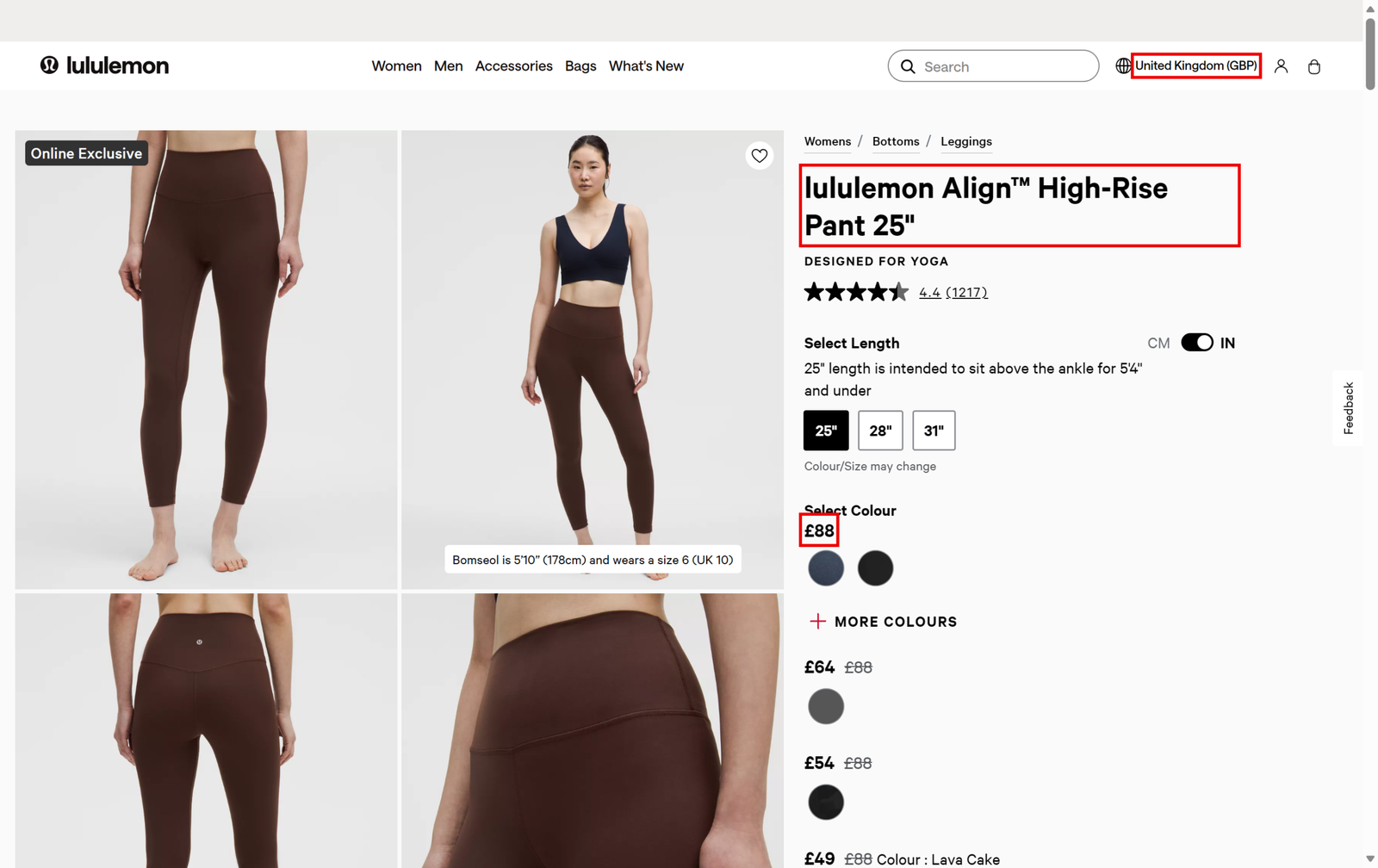
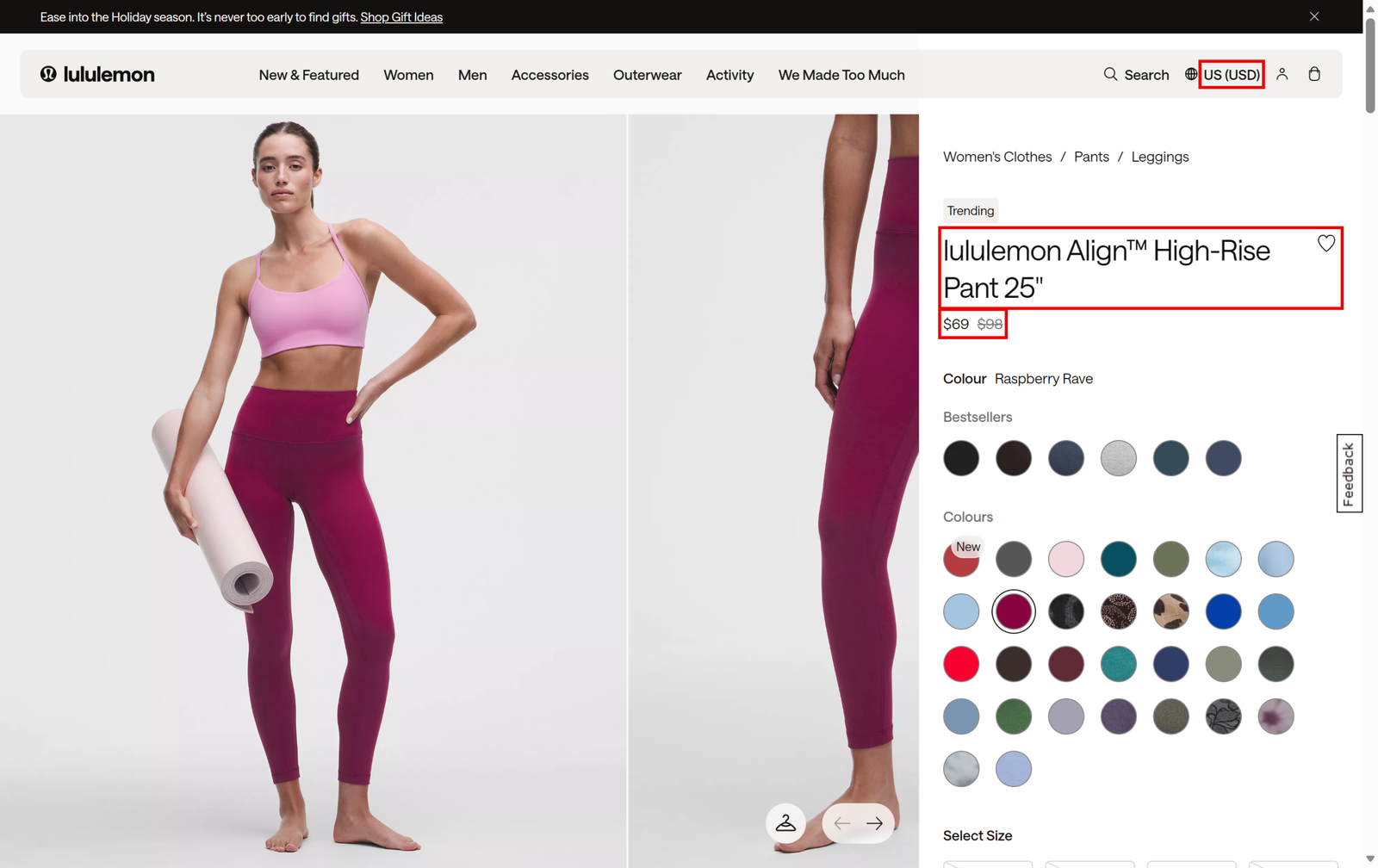
Each country domain localizes the whole page. The same Align pant shows £88 on the UK site with the location set to United Kingdom (GBP), and $69, down from $98, on the US site in USD.
lululemon.co.uk: the Align High-Rise Pant 25" at £88, with the location set to United Kingdom (GBP). Source: lululemon.co.uk, captured October 25, 2026.
shop.lululemon.com: the same pant at $69, down from $98, with the location set to US (USD). Source: shop.lululemon.com, captured October 25, 2026.
For most stores I recommend subfolders. They are the cheapest to run and every market builds on one domain. I only move to subdomains or country domains when separate teams, platforms or legal entities make one domain impossible.
Hreflang Tags That Google Can Trust Across Markets
Tell Google which URL serves which language and country, with tags it will actually accept. On a catalog with thousands of products and several markets, hreflang is a data problem, not a template tweak.
Use valid codes. ISO 639-1 language plus an optional ISO 3166-1 Alpha 2 region: en-GB for the UK, never en-UK or en-EU.
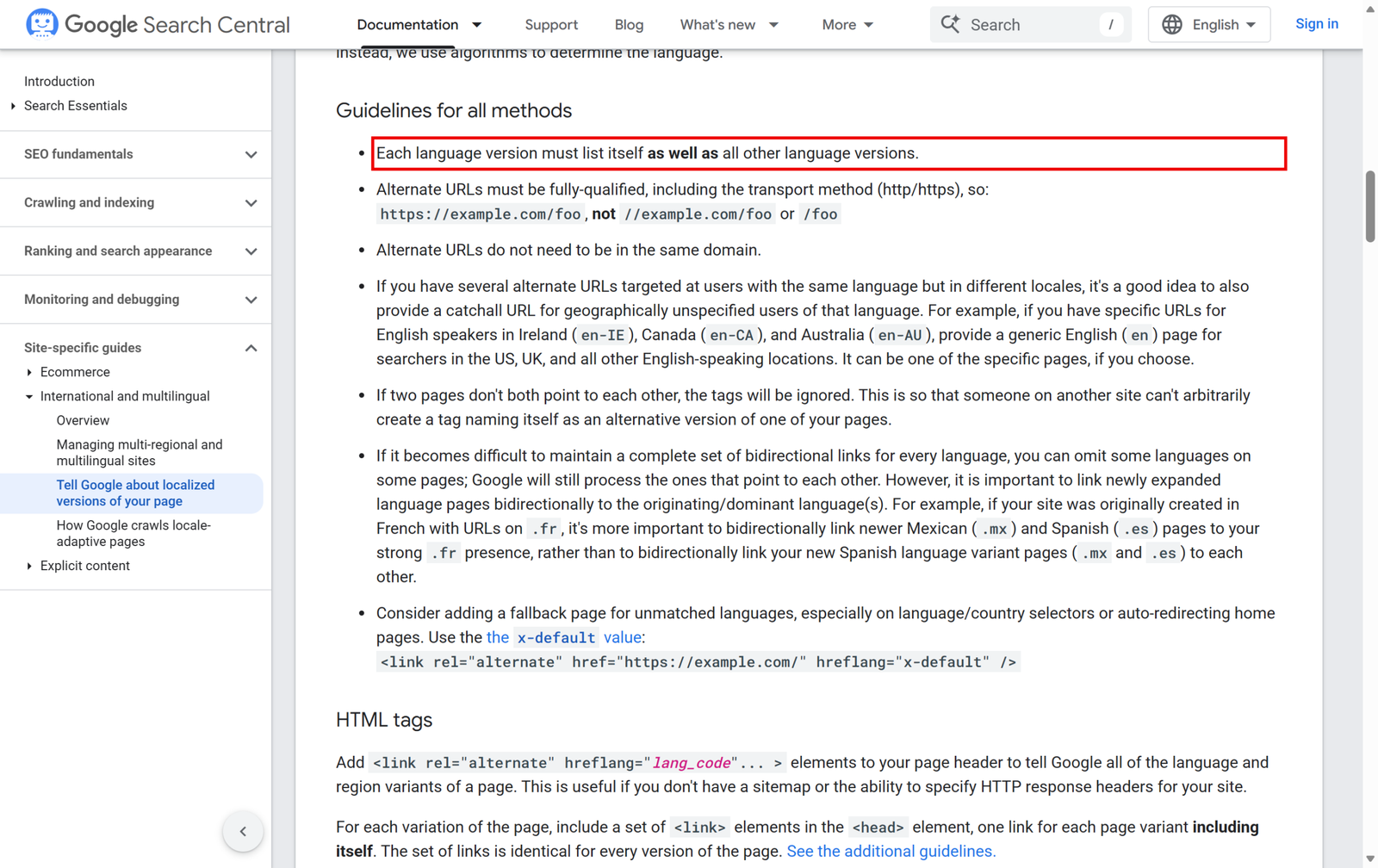
List every version, including itself. Each page names all its alternates and its own URL.
Make every link reciprocal. If the UK page points to the US page, the US page must point back.
Point only at canonical, 200-status URLs. Never at a URL that redirects or canonicalizes somewhere else.
Add an x-default. Name the fallback page for everyone else.
Generate tags from data. Build them from a product ID map across markets, not by hand per page.
Validate every release. Crawl the clusters and check codes, return links, status codes and canonicals.
Valid Language and Region Codes
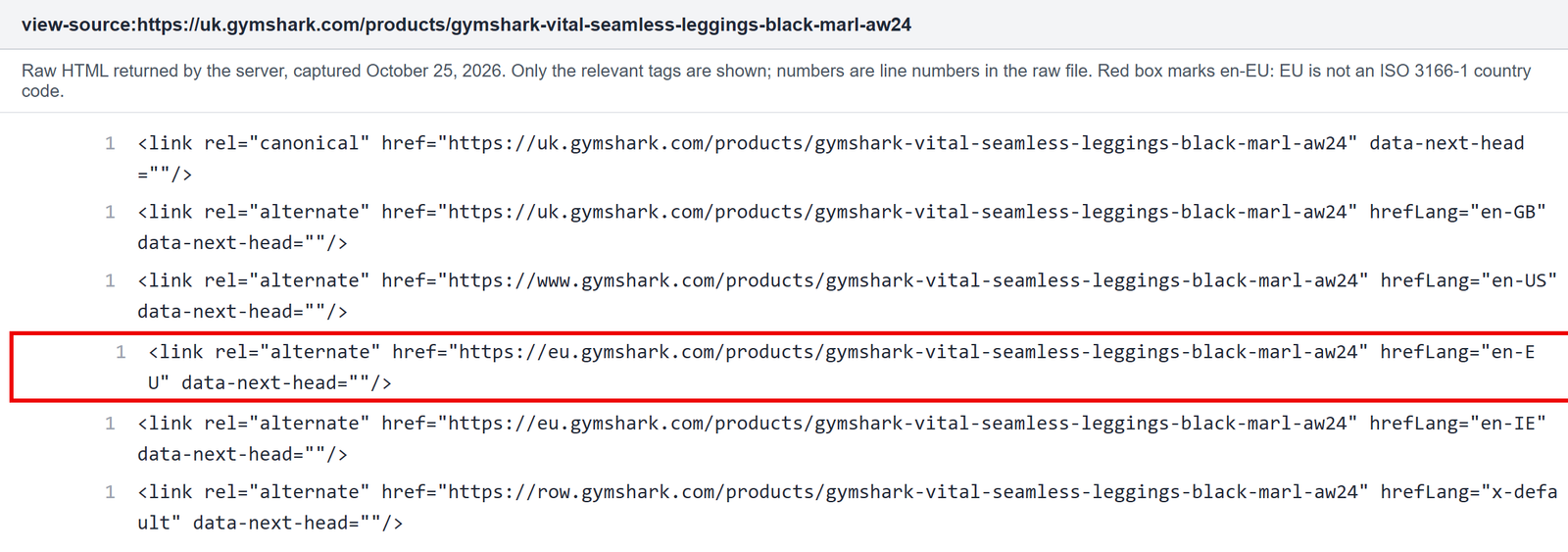
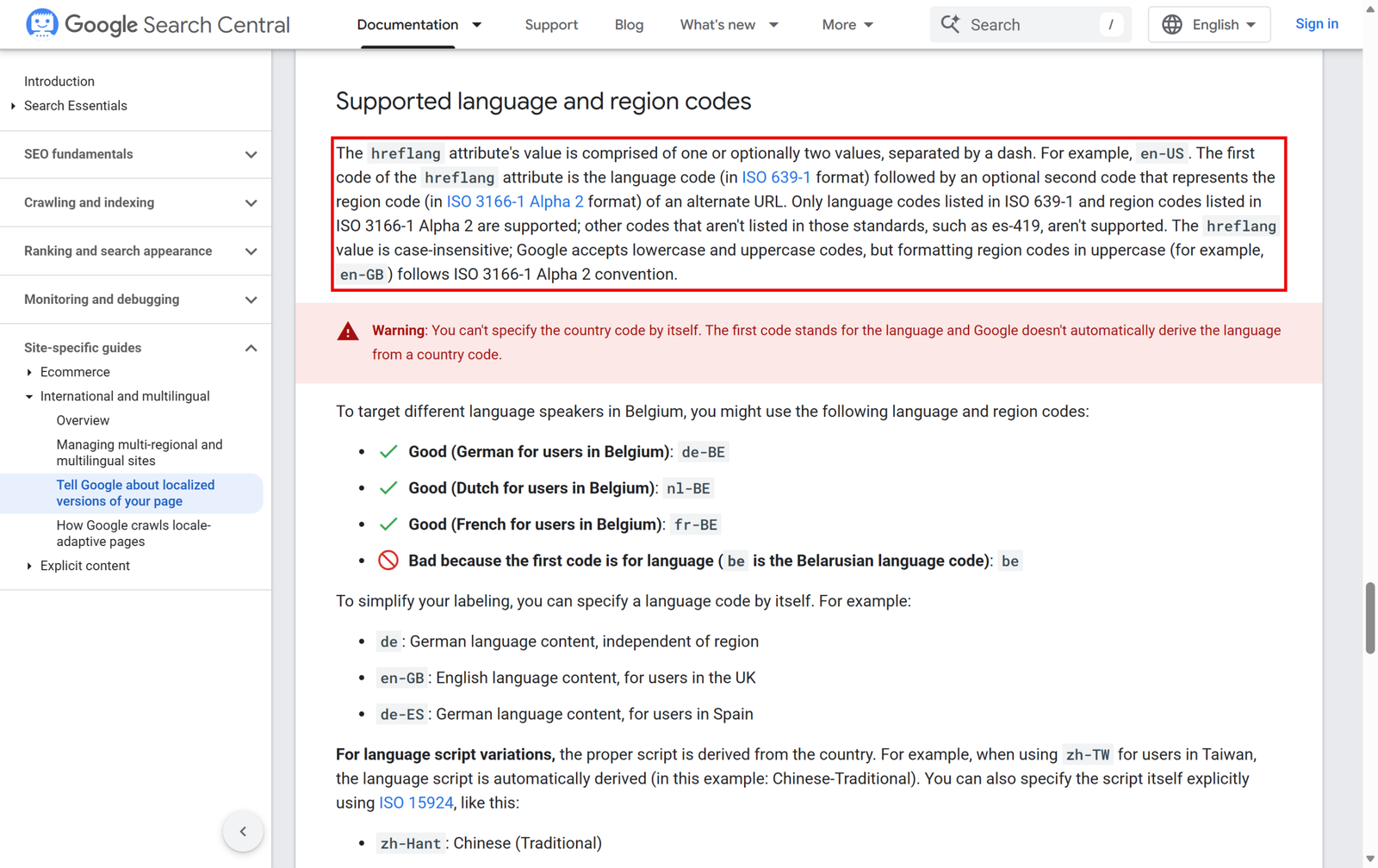
Google only supports region codes from ISO 3166-1 Alpha 2. EU is not a country code. Gymshark tags its EU store as en-EU on every product page, so that line gives Google nothing it can use.
The Gymshark UK product source: the red box marks hreflang="en-EU", which is not a valid region code. Source: uk.gymshark.com (page source), captured October 25, 2026.
Google's hreflang documentation: only ISO 639-1 language codes and ISO 3166-1 Alpha 2 region codes are supported. Source: developers.google.com, captured October 25, 2026.
The fix for Gymshark is to replace en-EU with one tag per country that store serves, such as en-IE, en-ES, en-IT, en-PL and en-BE. Gymshark already lists those countries, so the invalid line can simply go.
Reciprocal Links Between Canonical URLs
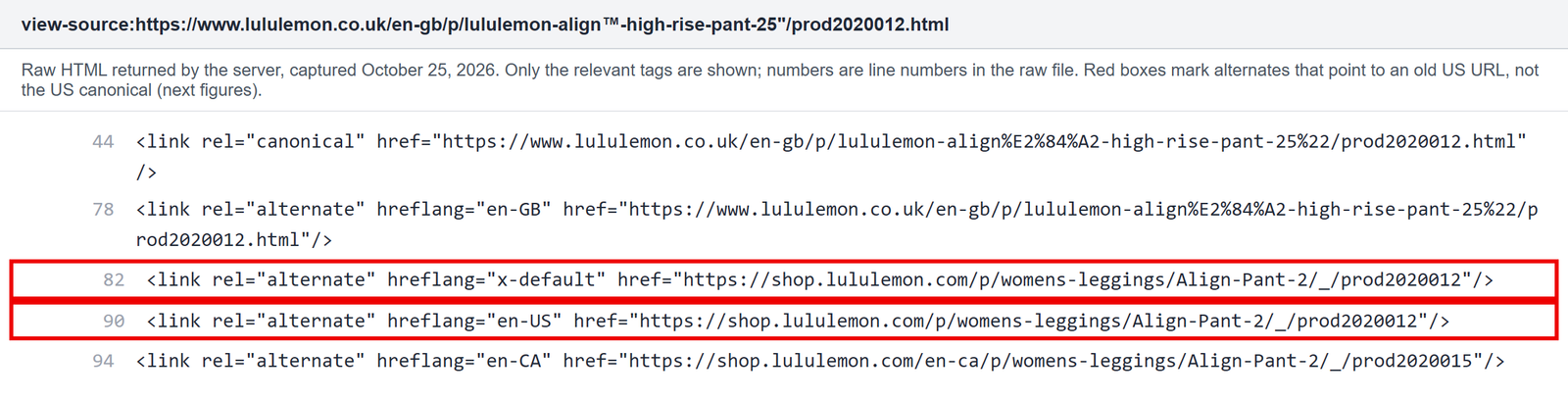
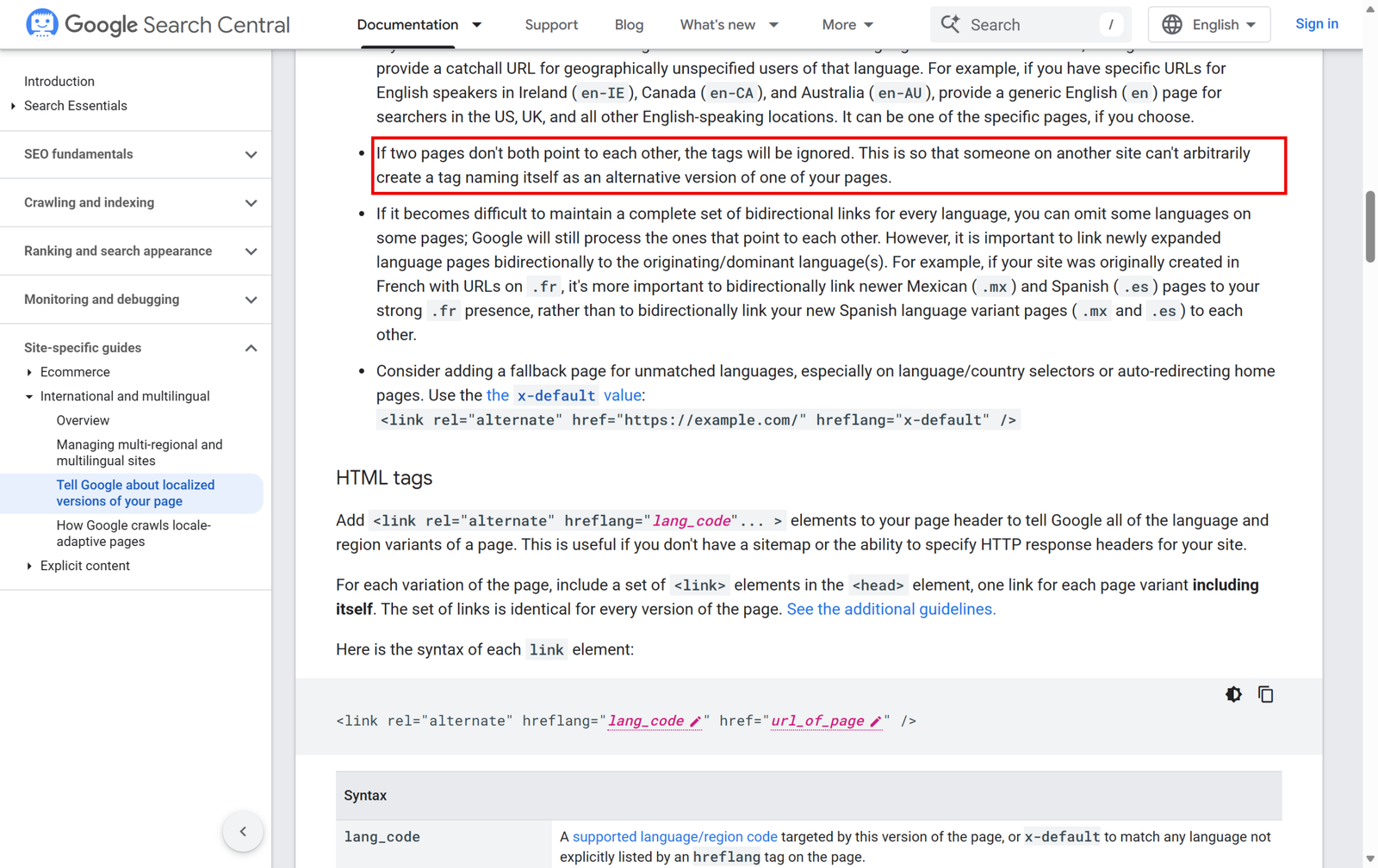
Google ignores hreflang pairs that do not point back to each other. Lululemon shows how that breaks across domains. The UK Align page lists its US alternate and its x-default as an old US address.
The Lululemon UK Align source: x-default and en-US both point to an old US URL. Source: lululemon.co.uk (page source), captured October 25, 2026.
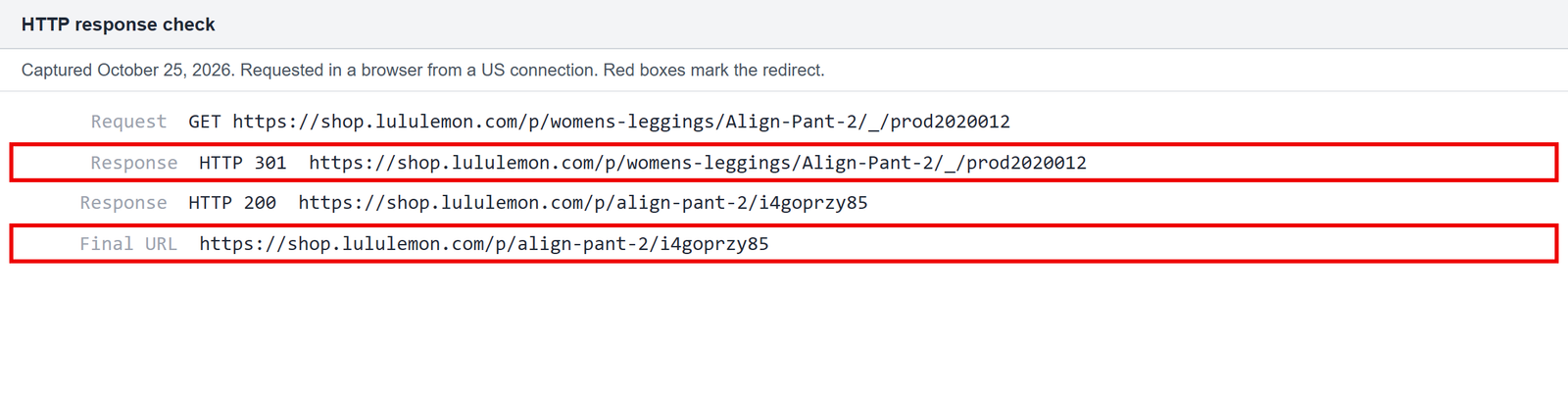
That old address does not resolve to itself. It returns a 301 redirect to the current US product URL.
The x-default URL from the UK page returns a 301 redirect to /p/align-pant-2/i4goprzy85. Source: shop.lululemon.com, captured October 25, 2026.
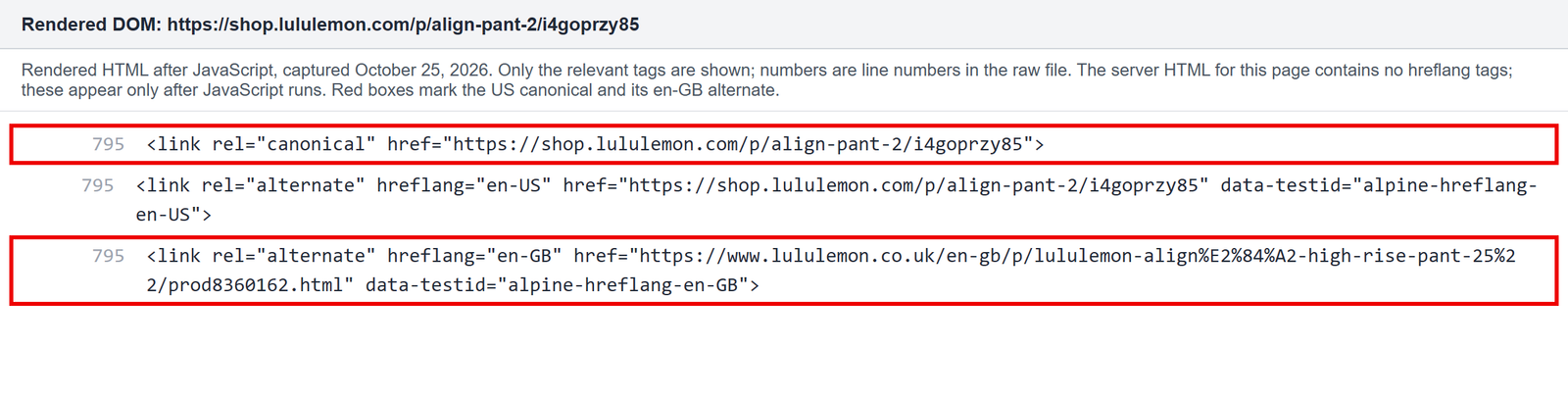
The current US page does list the UK page. But its server HTML has no hreflang tags at all. They appear only after JavaScript runs, so the US-to-UK link depends on Google rendering the page.
The rendered US page: canonical /p/align-pant-2/i4goprzy85 and an en-GB alternate to the UK page. The server HTML contains no hreflang tags. Source: shop.lululemon.com, captured October 25, 2026.
Google's hreflang documentation: if two pages don't both point to each other, the tags will be ignored. Source: developers.google.com, captured October 25, 2026.
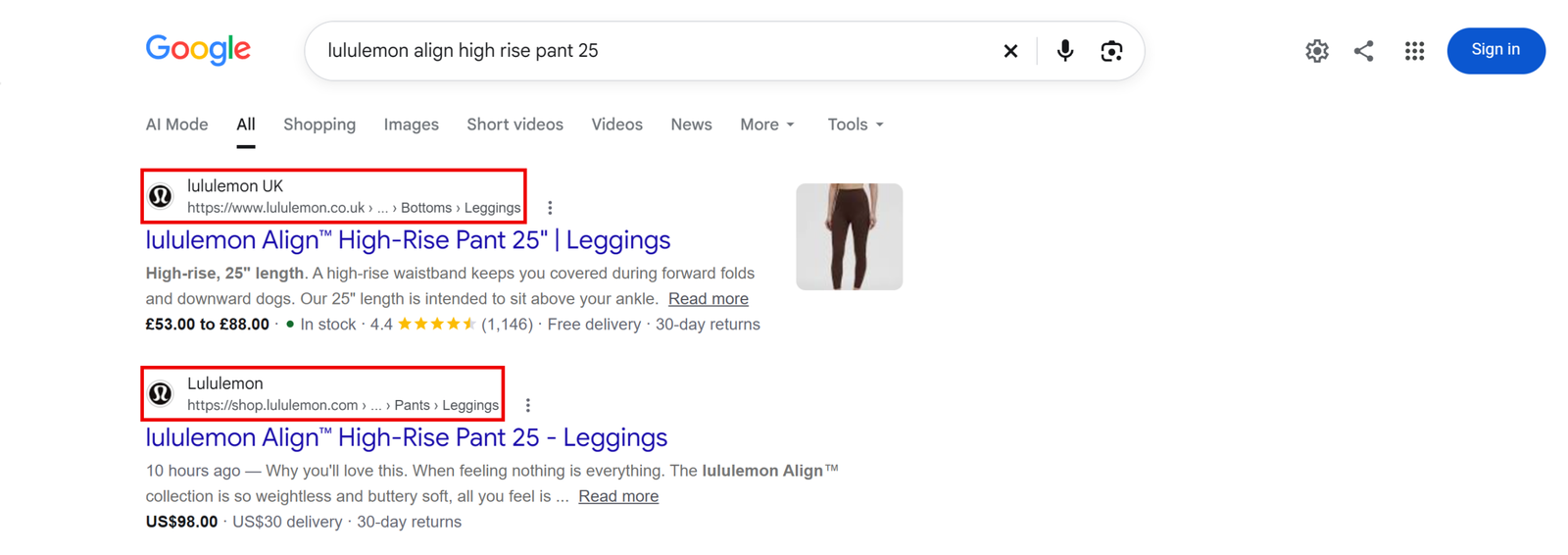
The result shows up in Google UK. For "lululemon align high rise pant 25", the UK page ranks first in pounds. The US page ranks right below it, showing US$98.00 and US$30 delivery to a UK shopper.
I can’t see Google’s internal choice, but the fix is clear. Point the UK page’s en-US and x-default tags at /p/align-pant-2/i4goprzy85, the URL the US page declares as canonical. Then render the US page’s hreflang in the server HTML, so the pair is reciprocal without JavaScript.
Server-Side Hreflang and XML Sitemaps for Large Catalogs
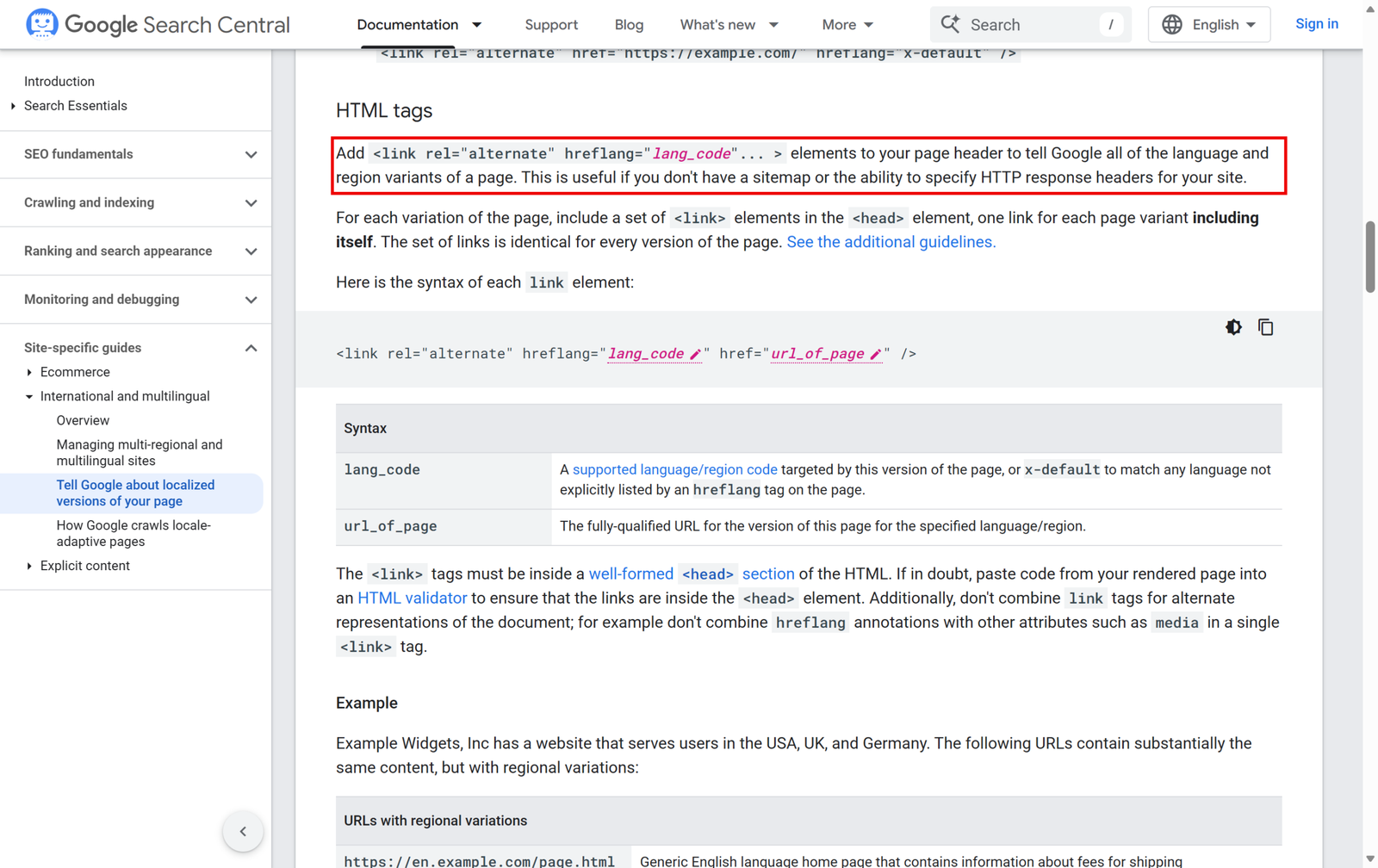
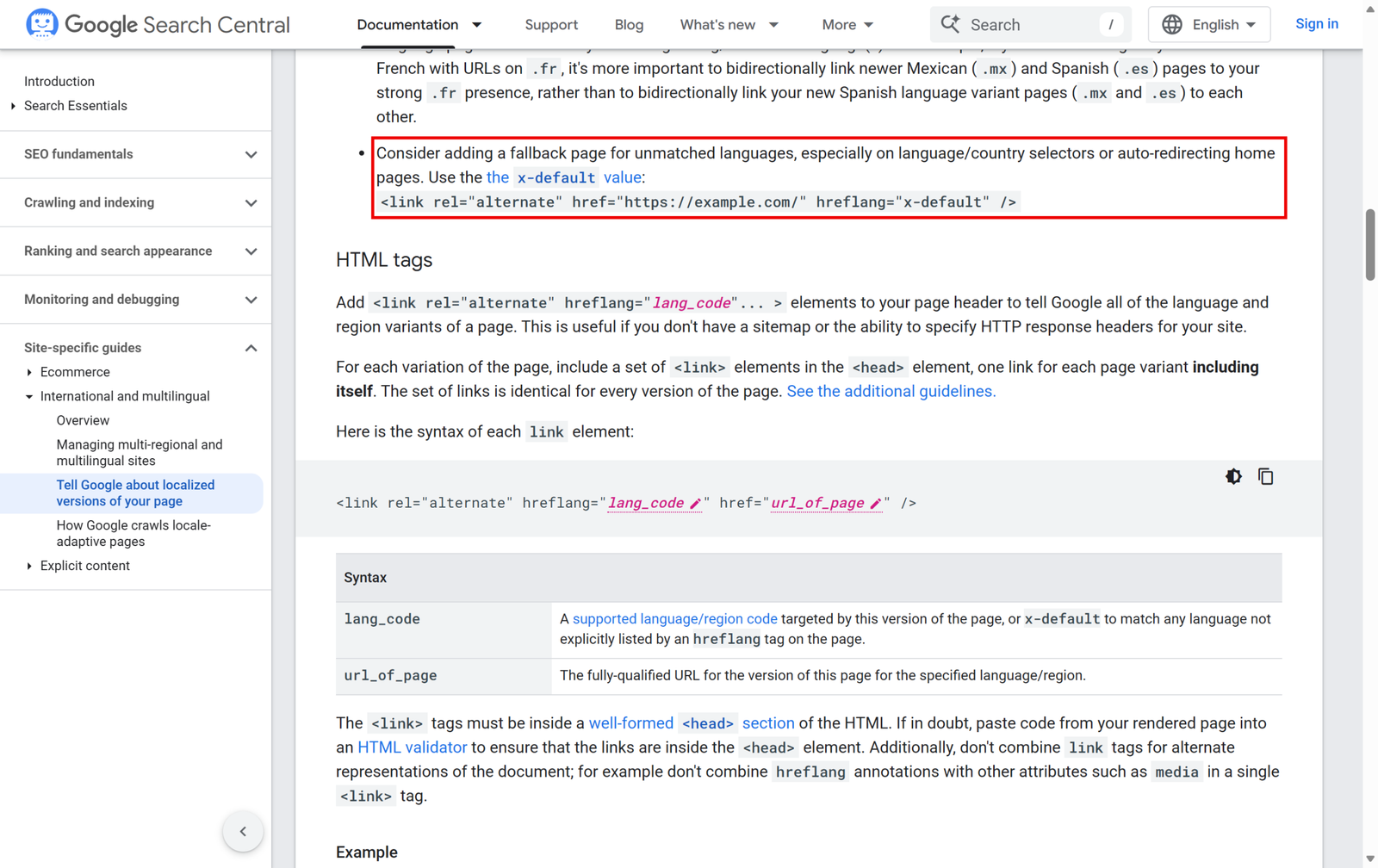
Alo’s 259 alternates per product page show the other problem at scale. Every page carries the full list in its head. On large catalogs I move hreflang into XML sitemaps, generated from the product ID map. Google supports listing every variant there.
Google's hreflang documentation: each language version must list itself as well as all other language versions. Source: developers.google.com, captured October 25, 2026.
Google's hreflang documentation: a sitemap can tell Google about all the language and region variants of each URL. Source: developers.google.com, captured October 25, 2026.
Google's hreflang documentation: add an x-default fallback page for unmatched languages, especially on selectors and auto-redirecting pages. Source: developers.google.com, captured October 25, 2026.
Hreflang handles languages. Canonical tags handle duplicates within one language.
Geo Redirects, Country Pop-Ups and Crawlable Store Selectors
Suggest the local store, never force it. Every country URL must stay reachable from anywhere, for shoppers and for crawlers.
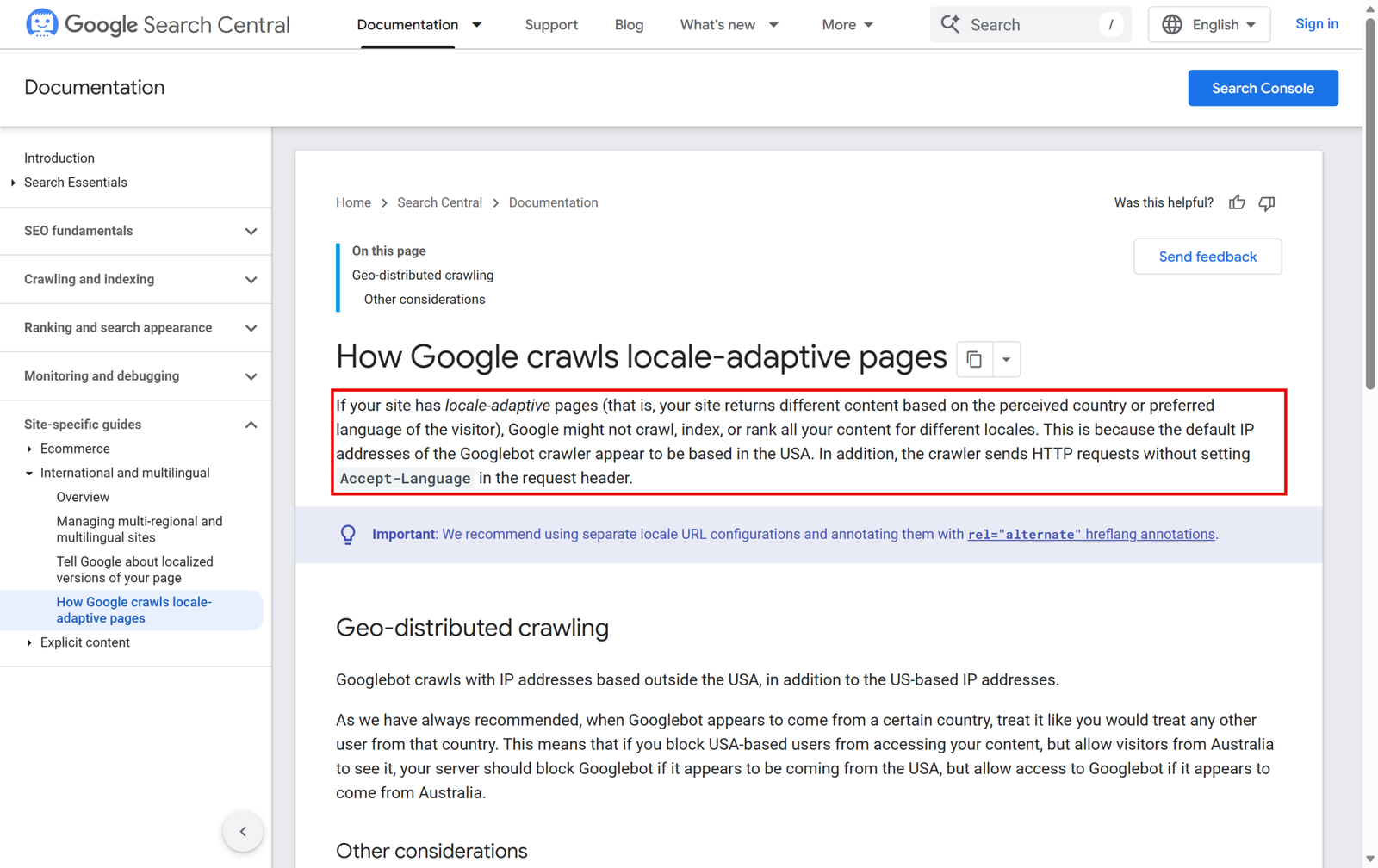
Google’s own documentation explains why. Googlebot’s default crawling IP addresses appear to be in the USA. Pages that change or redirect by location may not be crawled, indexed or ranked for every market.
Google's documentation: locale-adaptive pages may not be crawled, indexed or ranked for every locale, because Googlebot's default IP addresses appear to be based in the USA. Source: developers.google.com, captured October 25, 2026.
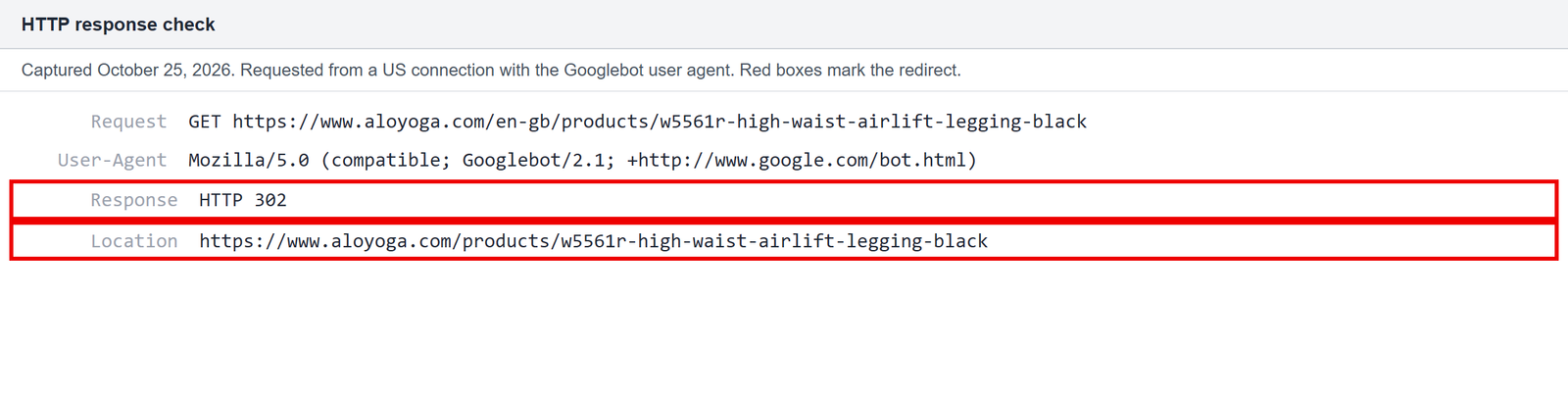
Alo takes the risky route. From a US connection, the /en-gb/ Airlift URL returns a 302 redirect to the US product page, even with the Googlebot user agent. Google UK still shows Alo’s /en-gb/ pages today. But a US product URL also ranks in the same UK results, further down.
From a US connection, the Alo /en-gb/ product URL returns HTTP 302 to the US product page, with the Googlebot user agent. Source: aloyoga.com, captured October 25, 2026.
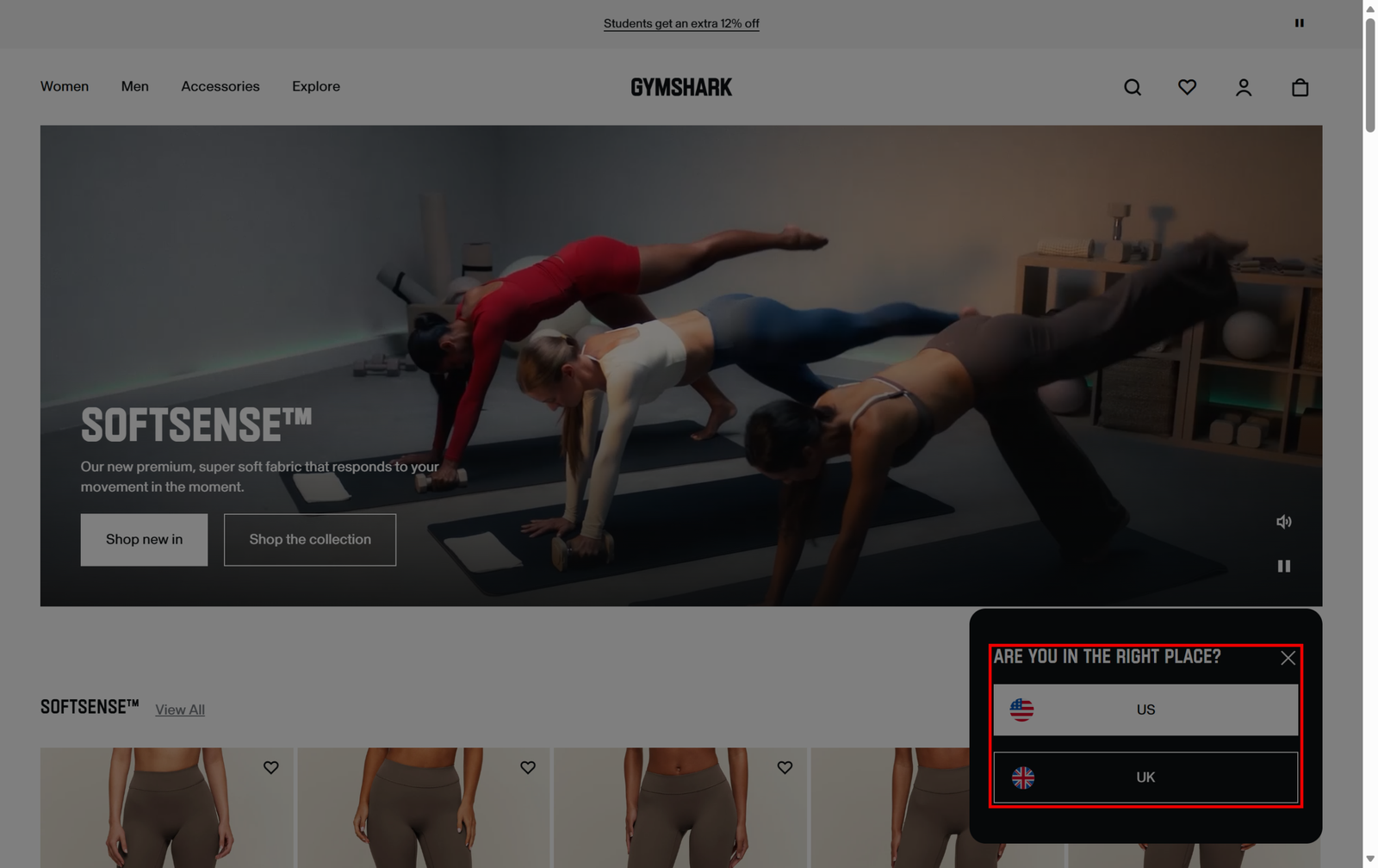
Gymshark takes the safe route. Opening uk.gymshark.com from the US in a fresh browser keeps the UK page and asks "Are you in the right place?" with a US and a UK button.
uk.gymshark.com opened from the US: the UK page loads, and a prompt offers the US or UK store instead of forcing a redirect. Source: uk.gymshark.com, captured October 25, 2026.
Remove forced redirects. Serve every country URL with a 200 status to every IP address and user agent.
Suggest instead. Show a banner or prompt that offers the local store, and remember the choice in a cookie.
Keep the selector crawlable. Build the country selector from plain <a href> links on every page.
Test from abroad. Request each country URL from a US connection and confirm it returns 200, not 301 or 302.
Localized Product Pages With Local Currency, Sizes and Delivery
Localize the product data, not just the words. Each market needs its own price, currency, sizes, delivery and returns, and that data has to match on the page, in the structured data and in the feed.
Currency and pricing: local currency, with VAT included where shoppers expect it.
Units and sizes: UK, EU and US clothing and shoe sizes, and metric measurements.
Shipping and returns: delivery times, duties and return windows per country.
Payment methods: the ones each market actually uses.
Local rules and norms: products, pricing and marketing adapted to each country.
Localized promotions and support in the local language.
Lululemon’s UK page shows what Google can pass through. Its Google UK result carries £53.00 to £88.00, in stock, free delivery and 30-day returns. That only happens when the local page states that data clearly.
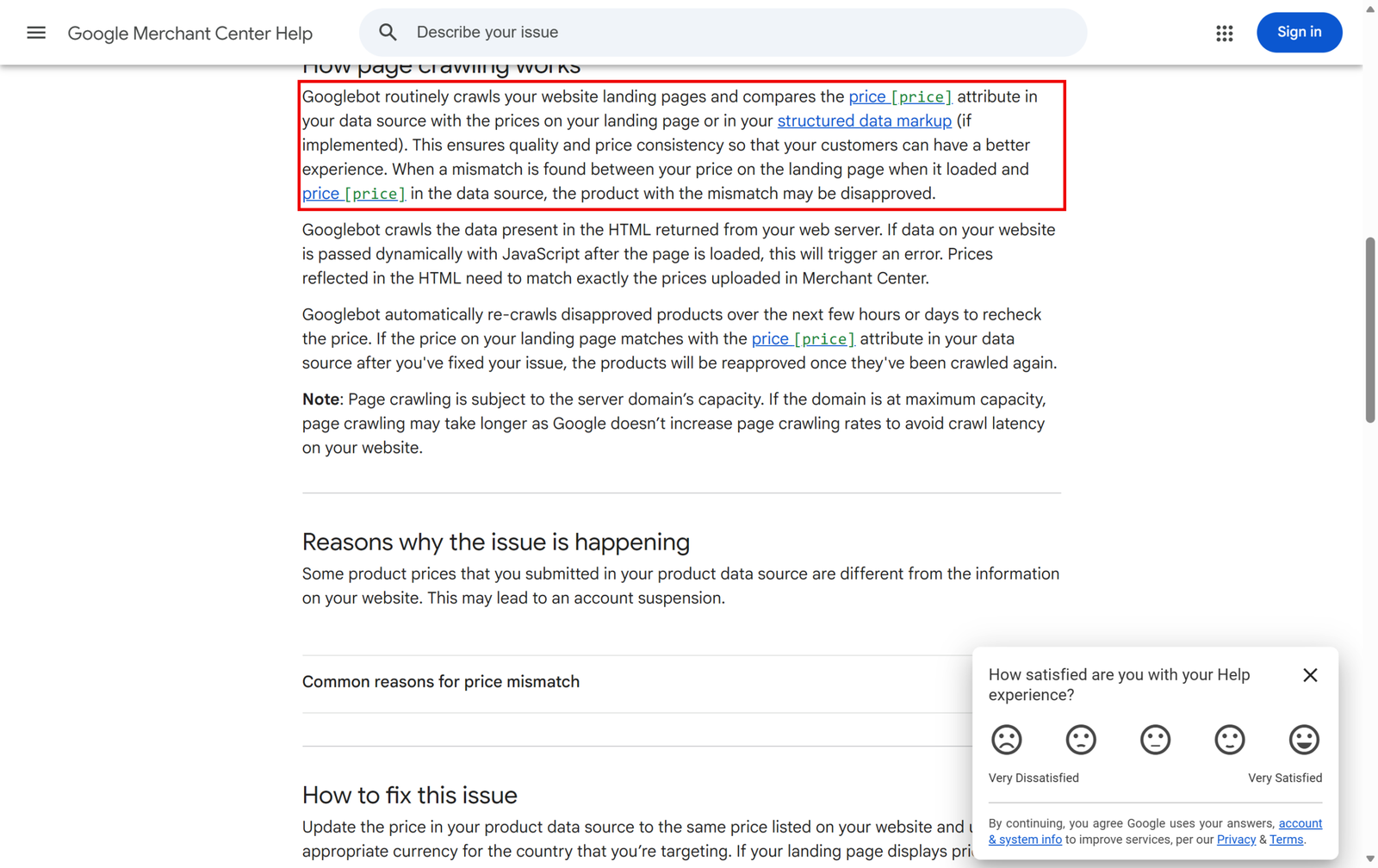
The feed has to match the page in every market. I run a separate Merchant Center feed per country and language, with local prices, shipping and returns, and the same price parity checks I use at home.
Google Merchant Center help: Google compares the feed price with the landing page and its structured data. Source: support.google.com, captured October 25, 2026.
Search your top products in each market and record which URL ranks. Position alone hides the problem. A US page ranking in the UK is an international SEO bug, even if it ranks well.
Pick the queries. Your top ten products and categories per market, in the local language.
Search like a local. Use the country and language parameters, for example gl=uk and hl=en-GB, or a rank tracker set per market.
Log the URL, not just the rank. Flag every result that belongs to another market.
Trace each flag. Check the hreflang, redirects and canonical on both URLs.
The three brands show all three outcomes. Alo’s /en-gb/ pages rank in pounds, with one US URL slipping through. Lululemon’s UK page ranks, with the US page right behind it. Gymshark’s German store ranks, with its English EU store next to it.
Pro tip: set up the check monthly and after every release. Hreflang breaks quietly when a platform migration changes URLs, exactly like Lululemon’s old US address.
Local Keyword Research in Each Market's Language
Research how people in each market actually search, including the attribute words they use to refine. A translated keyword list misses local phrasing.
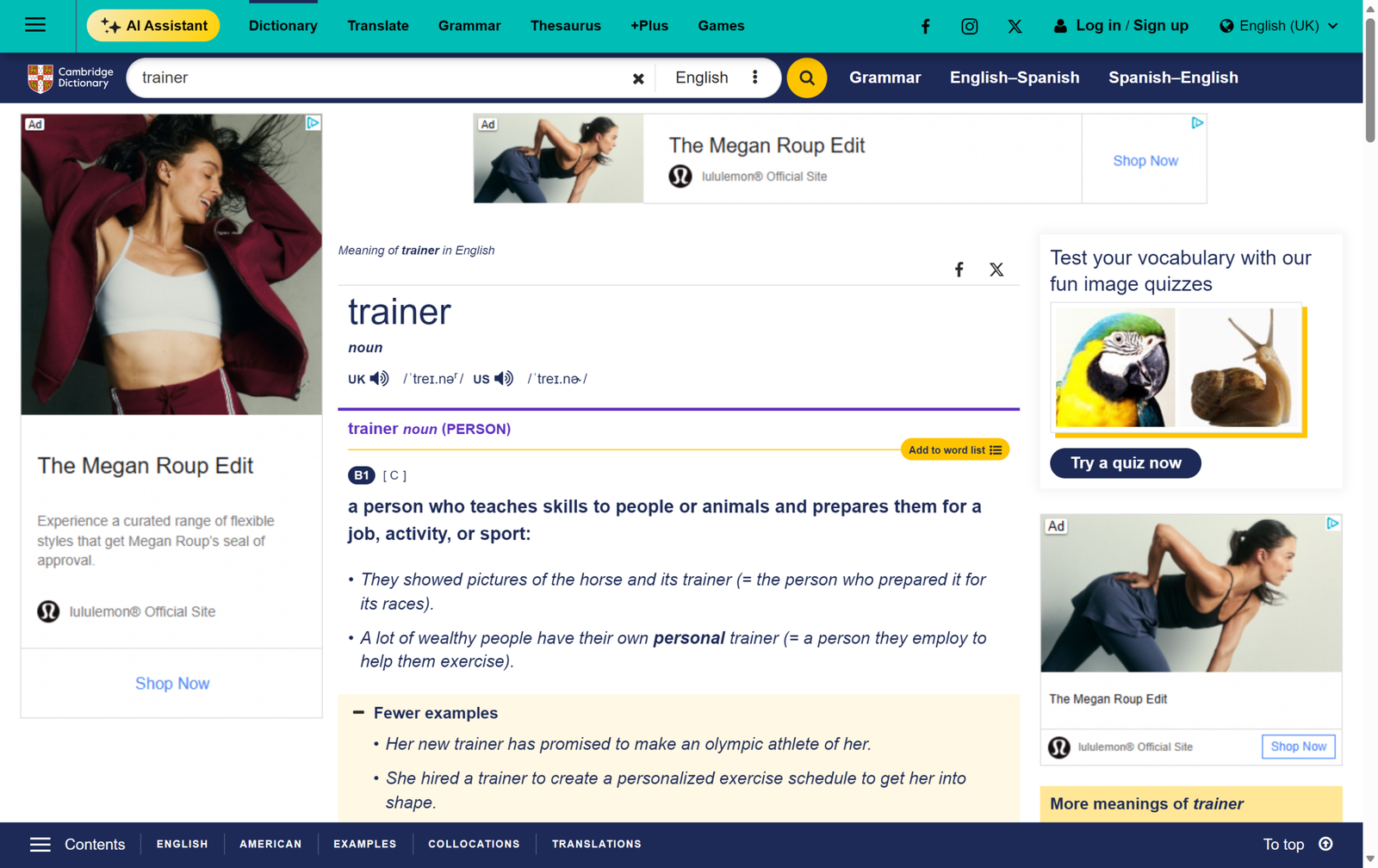
The same product often has a different name. UK shoppers buy trainers while US shoppers buy sneakers, so a direct translation can target a phrase nobody uses.
The Cambridge Dictionary entry for "trainer": the US word is "sneaker". Source: dictionary.cambridge.org, captured October 25, 2026.
Market analysis: identify the main language and the search engines each market uses.
Localized keyword tools: set them to the target country and language.
Long-tail and attribute keywords: the sizes, materials and features each market searches by.
Competitor analysis: the keywords local competitors rank for in each market.
Native-speaker review: a final pass on every list, because direct translations miss local phrasing.
Gymshark’s German results show the payoff. The German store ranks with a German title, Damen Vital Kollektion, while the English EU page competes with English copy.
Pro tip: pull Search Console data filtered by country before you research anything. Impressions you already earn abroad show which markets Google already connects to your store.
AI Search Visibility Across Country Sites
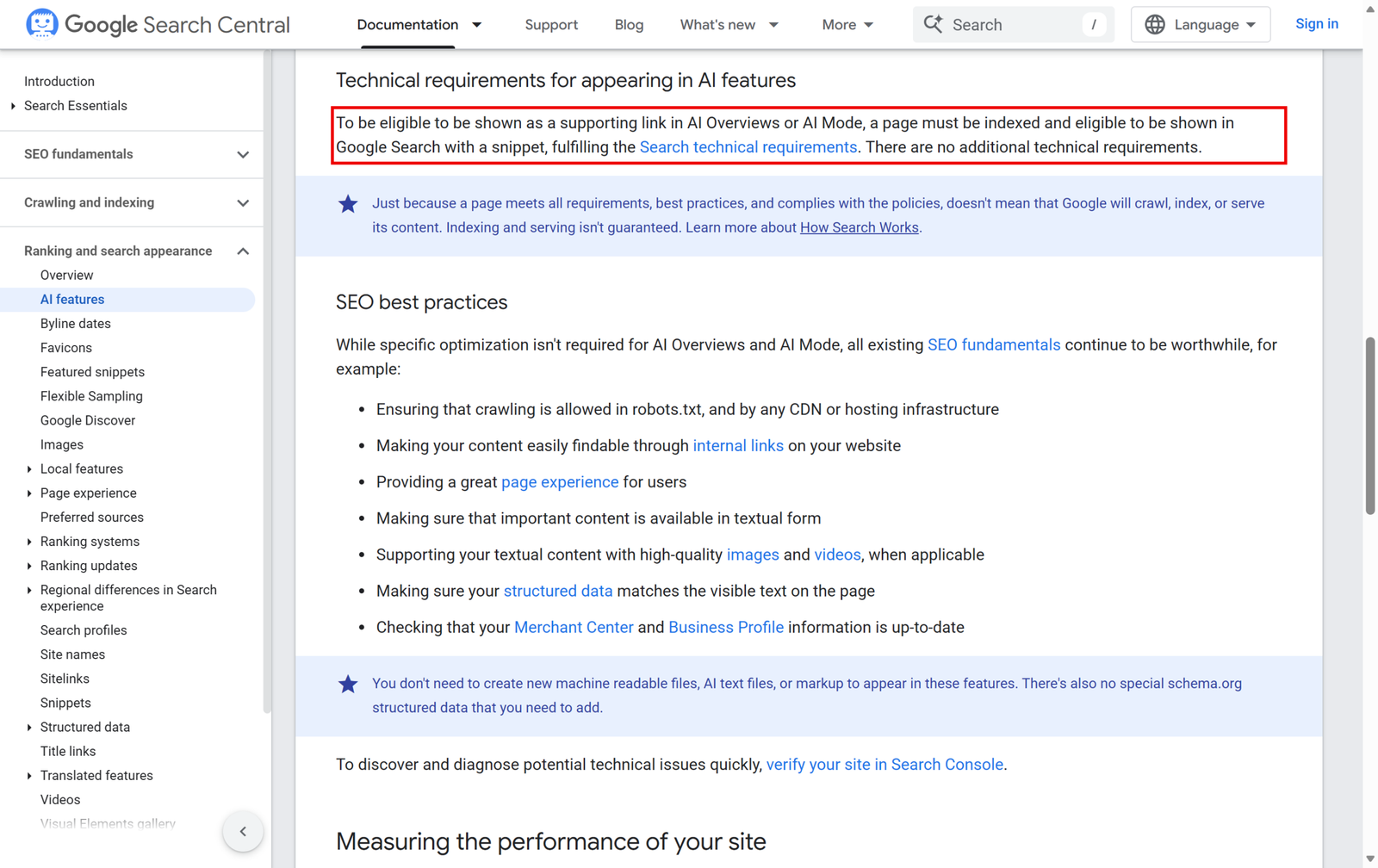
Make the right country page the one AI answers can find and quote. Google says AI Overviews and AI Mode use the same core systems as Search, with no special markup. So the hreflang and redirect fixes above also decide which country page AI features can use.
Google's AI features documentation: a page must be indexed and eligible for a snippet; there are no additional technical requirements. Source: developers.google.com, captured October 25, 2026.
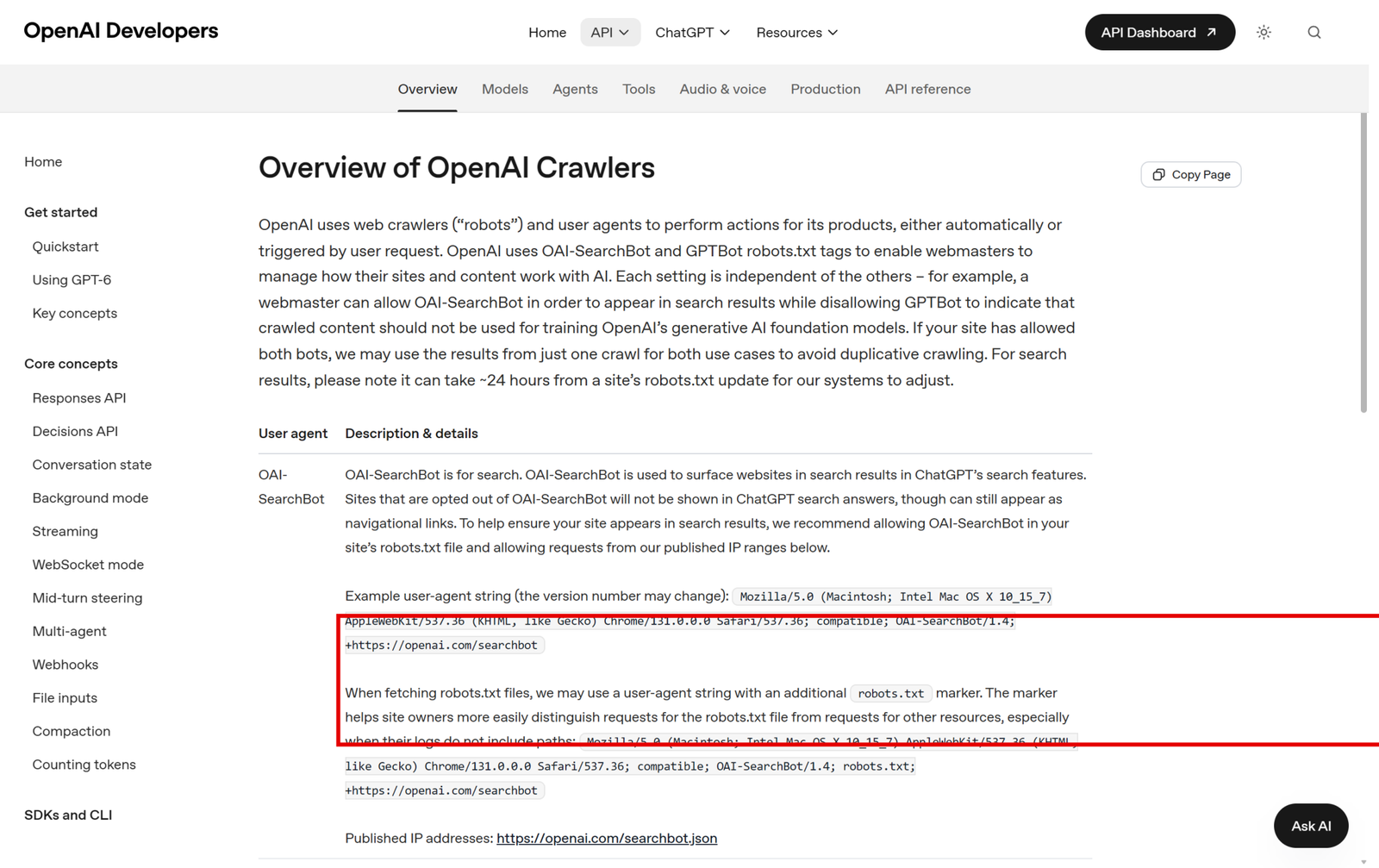
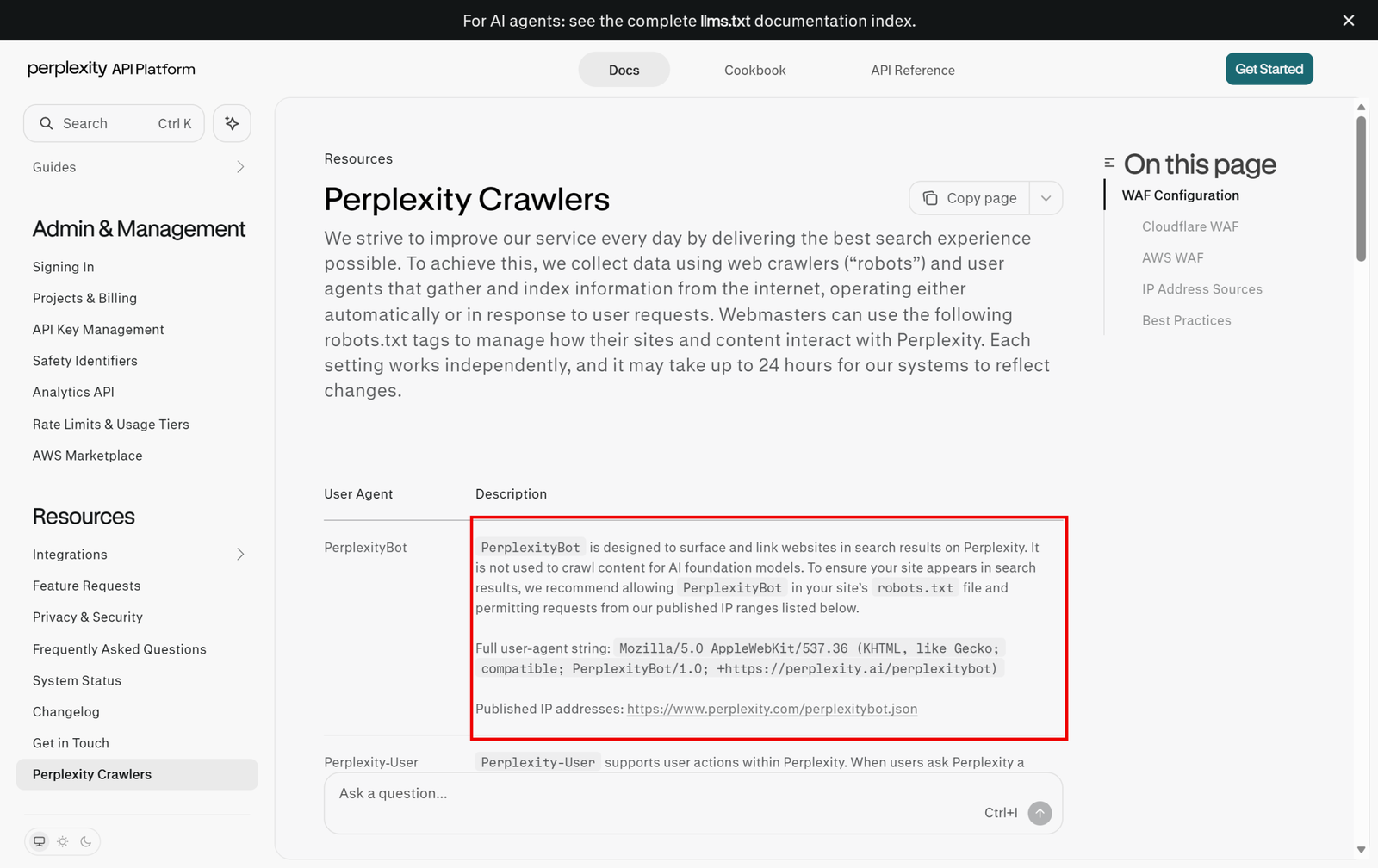
ChatGPT search and Perplexity use their own crawlers, OAI-SearchBot and PerplexityBot. I check that robots.txt doesn’t block them from any country folder, subdomain or domain. Then I give them something to quote: delivery time, duties and the return window for that country, as text near the top of each category page.
OpenAI's crawler documentation: OAI-SearchBot surfaces websites in ChatGPT search. Source: developers.openai.com, captured October 25, 2026.
Perplexity's crawler documentation: PerplexityBot surfaces and links websites in Perplexity search results. Source: docs.perplexity.ai, captured October 25, 2026.
Are subfolders or subdomains better for international SEO?
For most stores, subfolders. Every market builds on one domain and one platform. Subdomains or country domains make sense when separate teams, platforms or legal entities run each market.
Why is my US page ranking in the UK?
Usually broken hreflang: invalid codes, missing return links or alternates that point to redirecting URLs. Forced geo redirects can also stop Google from crawling the UK version.
Should I redirect visitors by IP address?
No. Suggest the local version and let visitors switch. Google says its crawler's default IP addresses appear to be US-based, so forced redirects can hide your other versions.